请注意,本文编写于 289 天前,最后修改于 20 天前,其中某些信息可能已经过时。
目录
在使用homebrew安装应用时,git clone github项目特别慢,因此需要用到github镜像文件下载。
加速方法
-
进入加速网站复制加速链接 https://www.7ed.net/gitmirror/hub.html(已无法访问用作示例)
-
git配置替换https命令
shellgit config --global url."https://hub.gitmirror.com/https://github.com/".insteadOf "https://github.com/"
- 下载完成后,删除该配置。
shellgit config --global --unset url."https://hub.gitmirror.com/https://github.com/".insteadOf "https://github.com/"
由于此命令为全局配置需要删除,若只针对当前终端页,第一个命令移除--global即可
bashgit config url."https://hub.gitmirror.com/https://github.com/".insteadOf "https://github.com/"
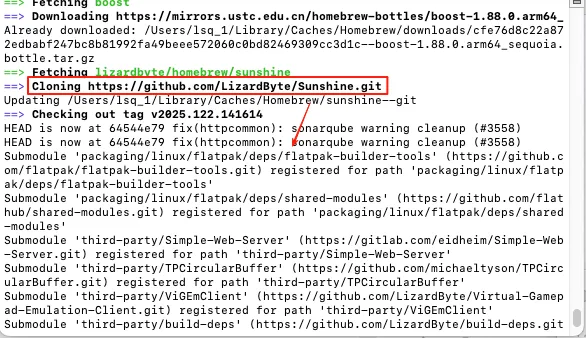
成功图片
扩展
若https://hub.gitmirror.com/ 文件加速失效,可尝试使用其它网站,例如:
| 镜像网站 | 使用命令 |
|---|---|
| https://ghfast.top/ | git config url."https://ghfast.top/https://github.com/".insteadOf "https://github.com/" |
| https://ghproxy.com/ | git config url."https://ghproxy.com/".insteadOf "https://github.com/" |
| https://kkgithub.com/ | git config url."https://kkgithub.com/https://github.com/".insteadOf "https://github.com/" |
附
docker代理配置
config"registry-mirrors": [
    "https://docker.1panel.live",
    "https://hub.rat.dev",
    "https://dockerpull.org"
  ]
本文作者:lsq_137
本文链接:
版权声明:本博客所有文章除特别声明外,均采用 BY-NC-SA 许可协议。转载请注明出处!
目录